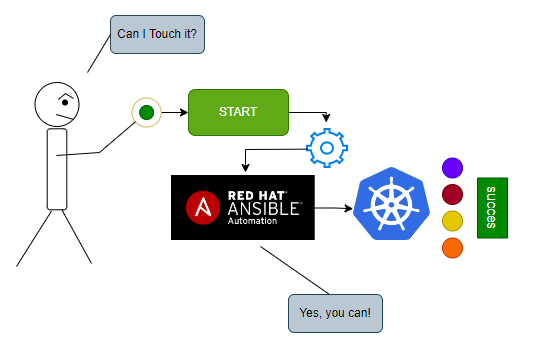
Managing Kubernetes Resources with Ansible Tower

I will explain the, how can we create, delete, restart resource on the kubernetss cluster with using ansible tower.

We need the ansible tower, kubernetes cluster and code pushing tool or ide like vscode.

Step1:

Create new repository on the your github account.
Our Repo:
https://github.com/hafifbilgiler/ANSIBLE

Step2:

Create new service account on the kubernetes cluster. And give permission to create new namespaces on the your kubernetes cluster. Also you can give another permission to control the deployment, replicaset or something else. I will share the sample sa account and cluster role file like below.

NOTE: I have used kubernetes v1.25.4. In this version you should create secret for your service account. This rule came with v1.22  version of kubernetes.

vim resource.yaml
kind: Namespace
metadata:
  name: ansible
---
apiVersion: v1
kind: ServiceAccount
metadata:
  name: create-namespace
  namespace: ansible
automountServiceAccountToken: true
---
apiVersion: v1
kind: Secret
metadata:
  namespace: ansible
  name: namespace-create
  annotations:
    kubernetes.io/service-account.name: create-namespace
type: kubernetes.io/service-account-token
---
apiVersion: rbac.authorization.k8s.io/v1
kind: ClusterRole
metadata:
  name: namespace-create
rules:
- apiGroups: [""]
  resources: ["namespaces"]
  verbs: ["get", "watch", "list", "create", "delete"]
---
apiVersion: rbac.authorization.k8s.io/v1
kind: ClusterRoleBinding
metadata:
  name: namespace-create
subjects:
- kind: ServiceAccount
  name: create-namespace
  namespace: ansible
roleRef:
  kind: ClusterRole
  name: namespace-create
  apiGroup: rbac.authorization.k8s.io
kubectl apply -f resource.yaml

Step3:

Obtain the you sa token with command below and register. Then try to list namespaces list with command below.

TOKEN=$(kubectl describe secret namespace-create -n ansible | grep token: | awk '{print $2}')

echo $TOKEN

Try to list namespaces,

curl -k  -H "Authorization: Bearer $TOKEN" -H 'Accept: application/json' https://<kubernetesmasternodeip>:6443/api/v1/namespaces/
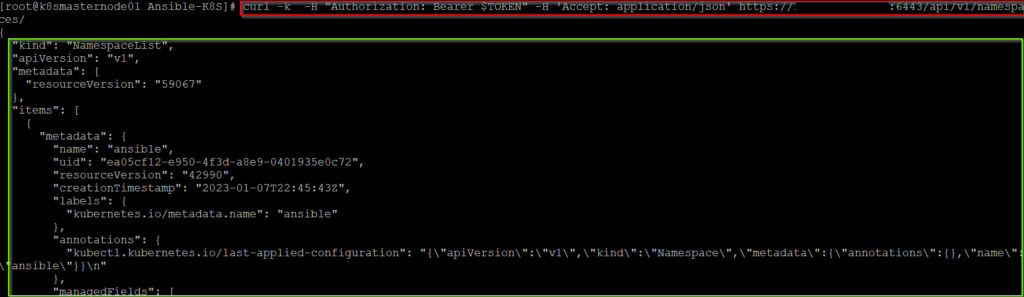
Command Output

Step4:

Create inventory and other files and push your github repository. You can find sample tasks from our repository.

https://github.com/hafifbilgiler/ANSIBLE/tree/master/TOWER

Step5:

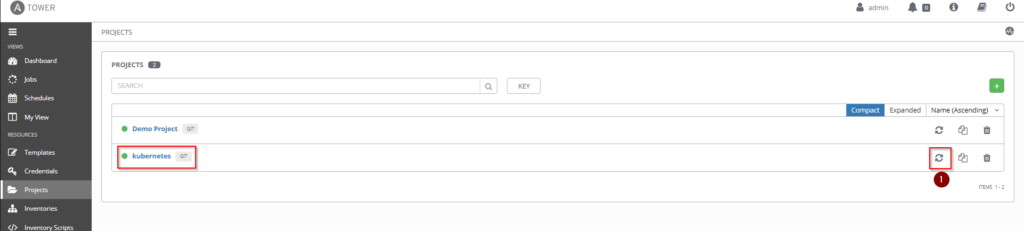
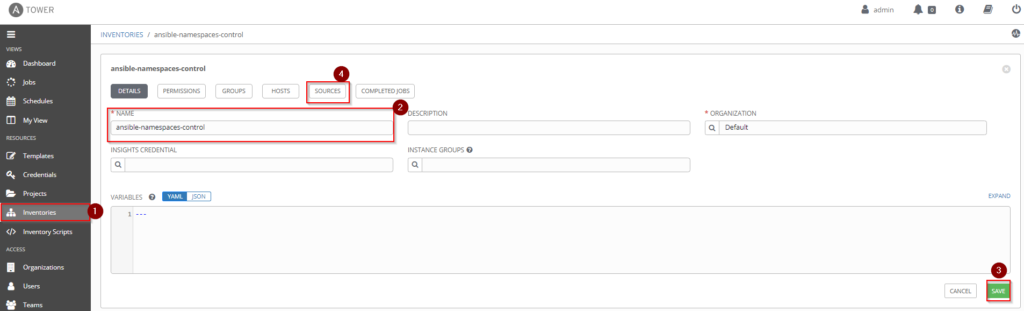
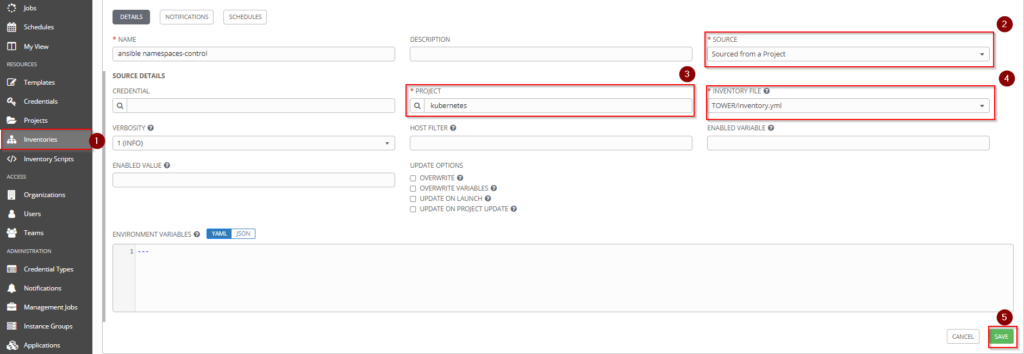
Create new project, inventory and inventory source file on the ansible tower.
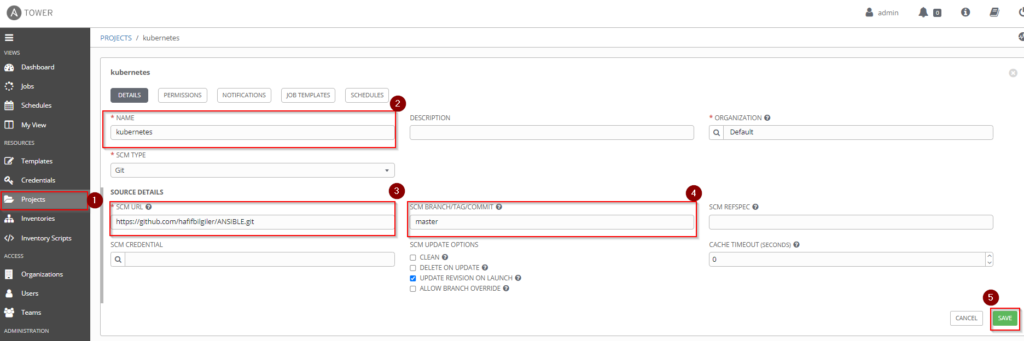
Create Project
Sync Your Projects
Create Inventory
Add Source
Add Source
Sync Your Source

Step6:

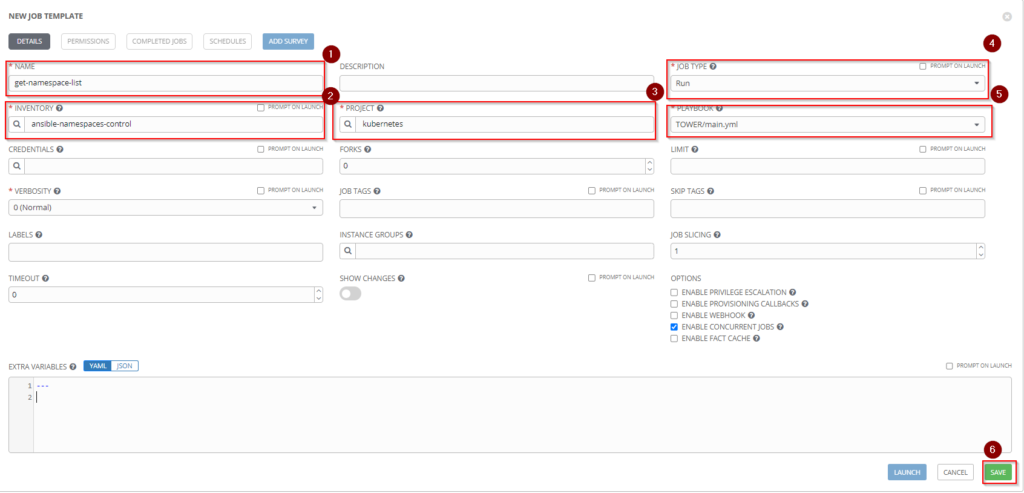
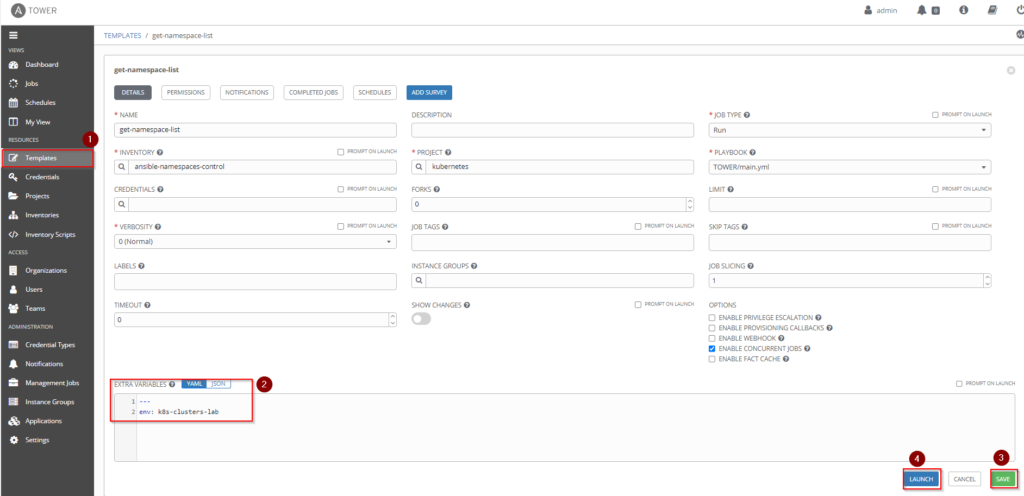
Create new job template from your project.
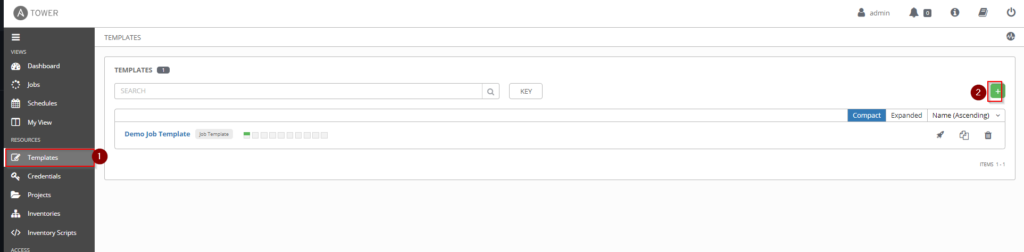
Create New Template
Jop Template

Step7:

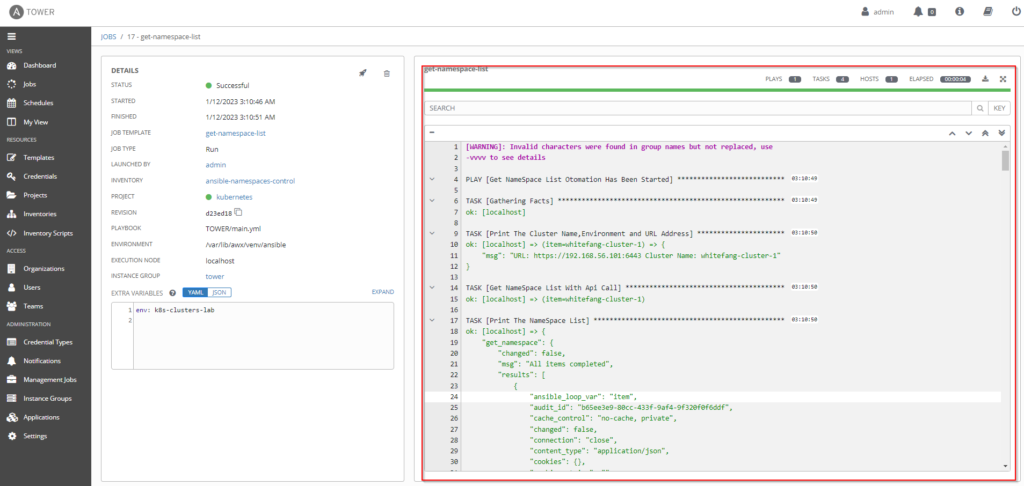
Run the template with extra variables and watch the your output.
Add Variables
Otomation Output

That’s it. Have happy works!!!

Similar Posts

  • Installing Elasticsearch, Kibana and Filebeat on Kubernetes

    You can get a lot of information about site title in this url. And Elasticsearch, Kibana and Filebeat installation will explain under this topic.To do this you should follow steps below. ELASTICSEARCH INSTALLATION Step1:Create new storage class on your cluster, if you dont have. This installation has been tried the which has a one worker node…

  • NGINX Ingress Controller Kurulumu

    NGINX INGRESS CONTROLLER Bu konu başlığı altında Nginx Ingress Controller hakkında kısa bilgi verilecektir. Kubernetes üzerinde pod içerisinde container olarak çalışan ve istek kabul eden bir uygulamamız var ise bu uygulamaya bazı durumlarda dışarıdan erişmemiz gerekebilir. Böyle durumlarda Ngınx Ingress Controller yardımımıza koşacaktır. Ngınx Ingress Controller ile mevcut ortamlarımızda bulunan servislere Ingress nesnesi ile erişmemiz…

  • Kubernetes Uygulamaları

    KUBERNETES POD OLUŞTURULMASI Burada kubernetes üzerindeki en küçük birim olan pod oluşturulması anlatılmaktadır. İstenilirse pod komut satırı ile de oluşturulabilir. Fakat burada yaml dosyası oluşturularak pod oluşturulması anlatılacaktır. Örneğimizde web-server uygulaması olan nginx podu oluşturulacaktır. Aşağıda ki komut ile oluşturulan pod’un görüntülenmesi ağlanır. Hafif Bilgi: Oluşturulan podlara kube-proxy tarafından ip tables üzerinden benzersiz ip ataması…

  • Kubernetes Tanımlar ve Kavramlar

    Burada anlatılan kubernetes bileşenlerinin uygulamalarını buradan bulabilirsiniz. POD Pod kubernetes içerisindeki en küçük birimdir. Her bir pod’un  benzersiz IP adresi vardır. Pod içerisinde en az bir veya birden fazla container bulunur. Bu containerlar bağlı bulundukları pod’un IP adresini ortak kullanırlar. Pod içerisindeki containerlara ulaşmak için ilgili containerlara farklı port numaraları verilerek pod üzerinden ilgili uygulamaya…

  • Kubernetes Nedir ve Kurulumu

    Bu yazıda önce Kubernetes’in ne olduğunu ve nasıl çalıştığını kısaca anlatıp, ardından kubeadm ile 1 control plane ve 1 worker node’dan oluşan bir cluster’ı adım adım kuracağız. Kurulum RHEL 9 / Rocky Linux 9 / AlmaLinux 9 üzerinde, container runtime olarak containerd ve resmi pkgs.k8s.io paket deposu ile yapılır. Container Nedir, Kubernetes Neden Gerekli? Container…

Bir yanıt yazın

E-posta adresiniz yayınlanmayacak. Gerekli alanlar * ile işaretlenmişlerdir